Version: 4.0

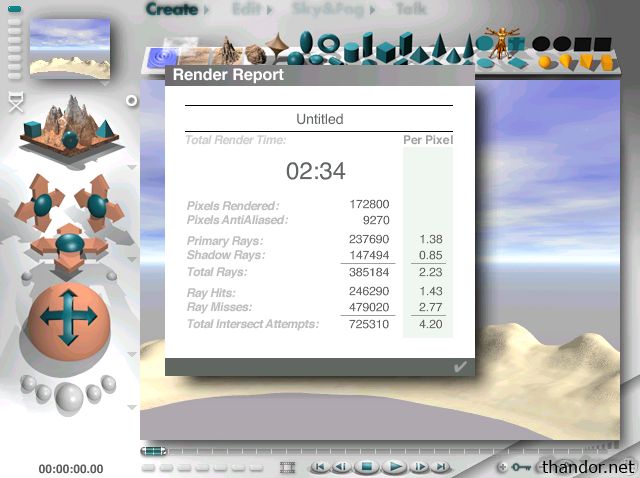
Bryce is a 3D modelling and rendering application from the mid 1990s. I use Bryce 4.0 from 1999 to render the Landscape tutorial image. After the rendering is complete it shows the rendering time.
Since its late 90s software I use it on Windows 98SE to benchmark 'super socket 7'-era CPUs. Think of AMD K6-2/400 and the likes.
My benchmark method
1. Install Bryce 4.0.
2. Start Bryce 4.0.
3. Leave every setting default.
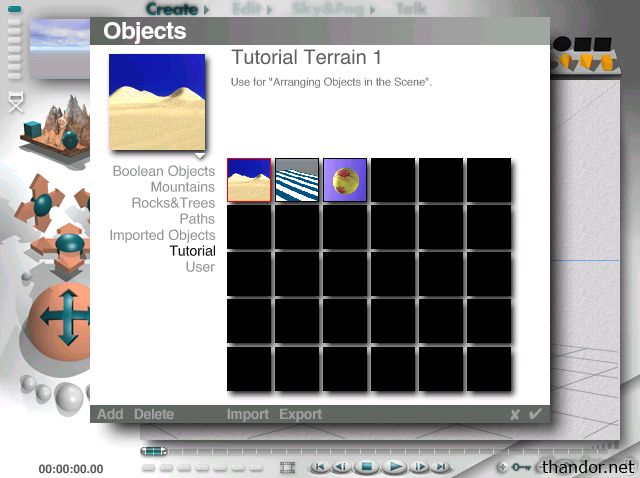
4. Load the tutorial image by clicking on 'Create > and then select the Tutorial folder. Select the desert landscape and click on the checkmark in the lower right of the screen to load the image.
4. Click on the render button which is the biggest button of the five buttons in the lower left corner.
5. Wait for the render to complete and take note of the render time (2:34 which is 60+60+34=154 seconds).